OmniCard

AI Media Asset Manager

Your media, understood.
Search it like you think.

OmniCard indexes your photos and videos, removes duplicates, and describes every asset with AI — then lets you find anything with plain English. 100% local, 100% private.

Download for Windows View source on GitHub

Version 1.0.0 · Windows 10/11 · SHA-256 checksum below

Why OmniCard

A media manager that works the way you do.

Semantic search

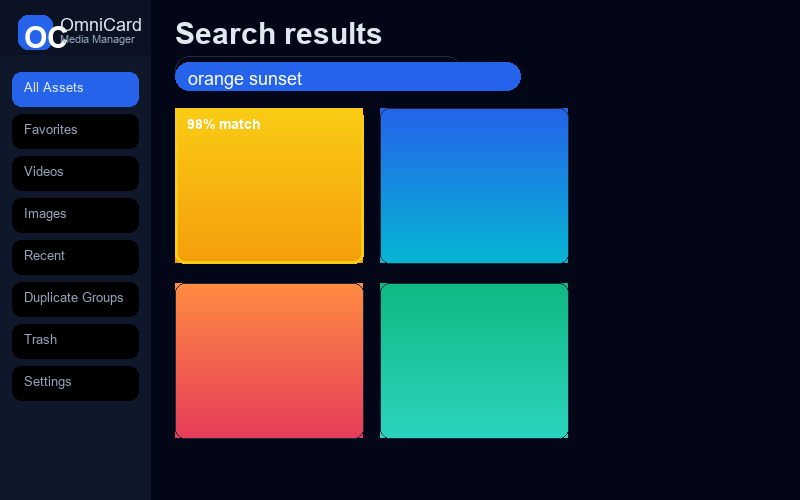
Ask in words — "drone over mountains", "orange sunset" — not filenames.

Auto AI captions

Every image gets a caption, tags, objects, scene and color palette automatically.

Duplicate finder

Perceptual-hash grouping with one-click "keep the best copy".

100% local

Your files and data stay on your machine. Nothing is uploaded.

Handles huge libraries

LanceDB vector index keeps search fast even past 100k assets.

Photos & videos

JPG, PNG and MP4 with generated thumbnails and EXIF camera data.
Screenshots

The gallery, the asset inspector, and AI analysis in action.

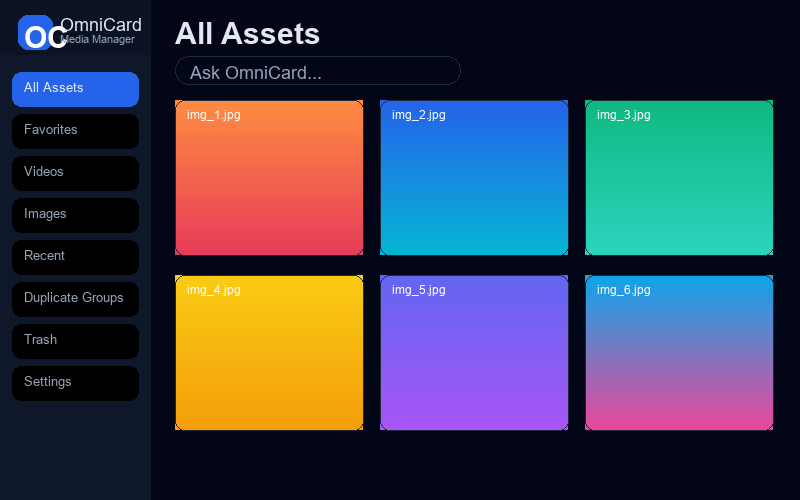
OmniCard gallery view

Gallery with AI captions, favorites and duplicate badges.

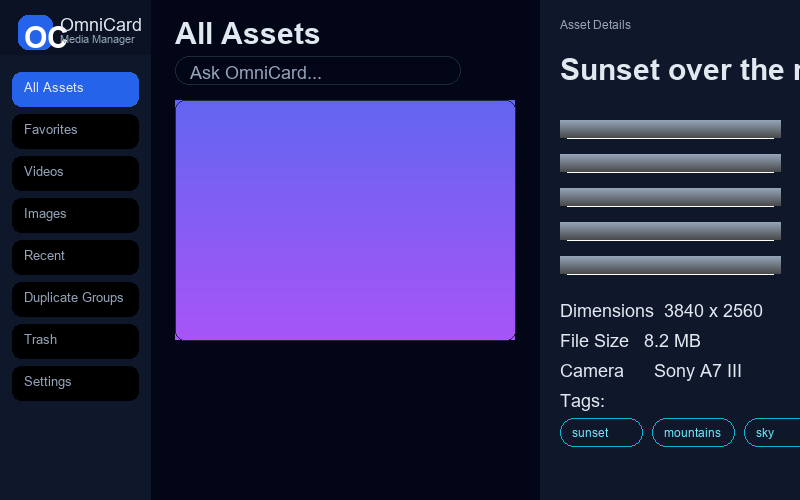
OmniCard inspector view

Inspector shows caption, tags, camera data, palette and similar images.

OmniCard semantic search

Semantic search returns visually matching results.

Download

Pick your platform. The NVIDIA API key is the only setup step.

Windows · OmniCard-Setup.exe Linux · coming soon
FileSHA-256
OmniCard-Setup.exe116E637B8F474BE6179C0832F0A08DB68A09605BDC08E28776CBDD0FAFE15874

How to get a free NVIDIA API key

One-time, takes two minutes, and it's the only thing you configure.

Create a free account at build.nvidia.com.

Generate an API key in your account dashboard (it looks like nvapi-…).

Paste it into OmniCard on first launch. The key is stored only on your device.

No key? No problem. You can still browse, deduplicate and manage your library without AI — connect the key later from Settings to unlock captions and semantic search.